Source: Pedzai, C. (2021). UX/UI portfolio projects for beginners #3: Travel App. Retrieved from https://uxdesignmastery.com/ux-ui-portfolio-projects-for-beginners-3-travel-app/

Project Overview
For this project, you will design a mobile travel app that helps users plan and organize a trip from beginning to end.
Your app should allow a user to search for and book travel, discover activities, and organize their entire trip in one place.
You will choose an existing travel brand to redesign/reimagine or create your own travel brand. Your goal is not simply to make attractive screens. You must demonstrate a thoughtful UI/UX process that solves real problems for travelers.
Timeline: 1–2 weeks
Platform: iOS or Android
Primary Tool: Figma or another approved UI/UX design tool
The Design Challenge
Your app should allow users to:
- Find and compare travel deals.
- Book a flight
- Book a hotel
- Book a rental car
- Find and select activities
- Organize plans into an itinerary
- Receive notifications
Platform
Please design a travel app for either iOS or Android. So we require mobile screens. Pay attention to
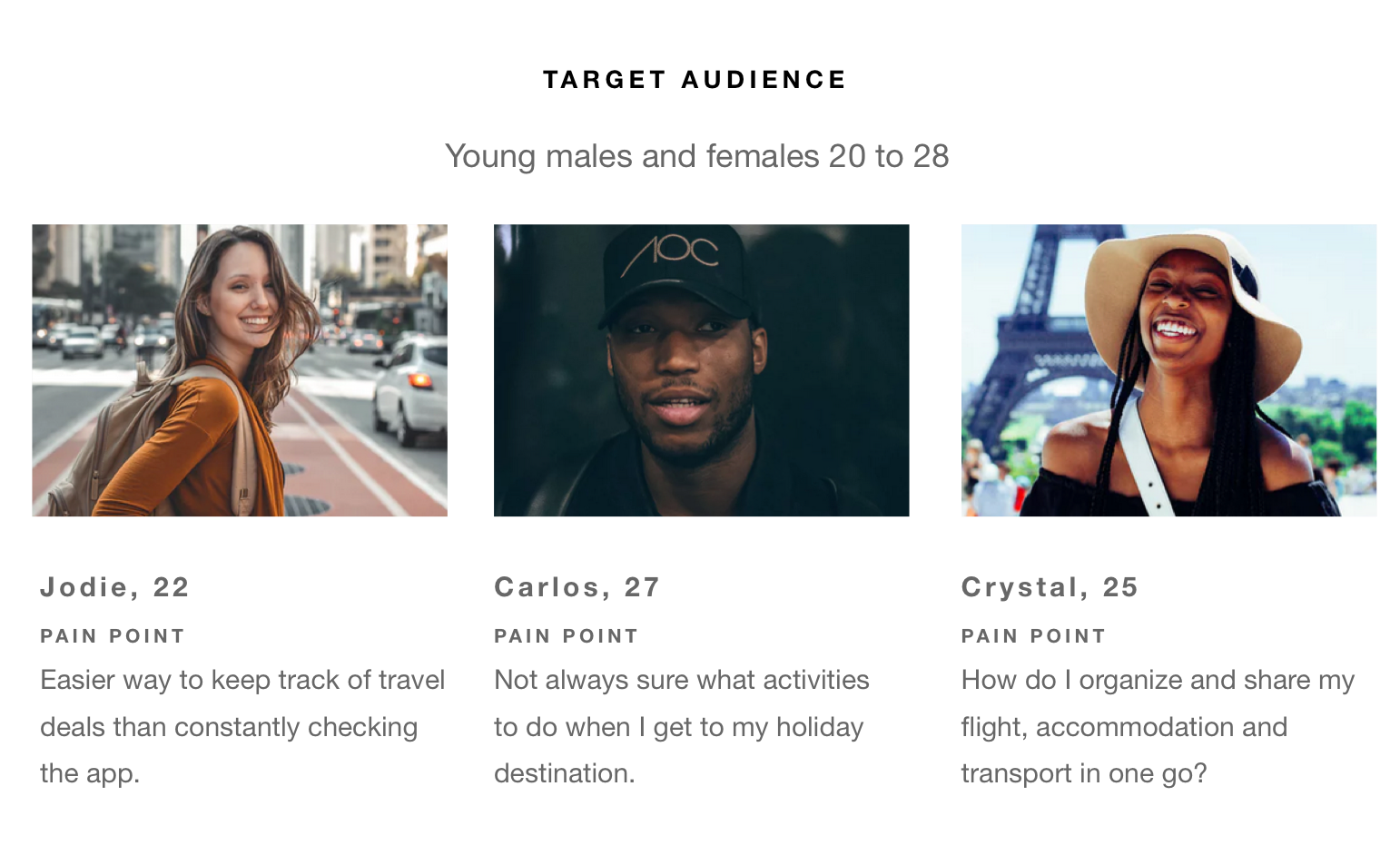
Target Audience
References
Please conduct some research on the following travel apps that we love and get ideas for functionality and features to include
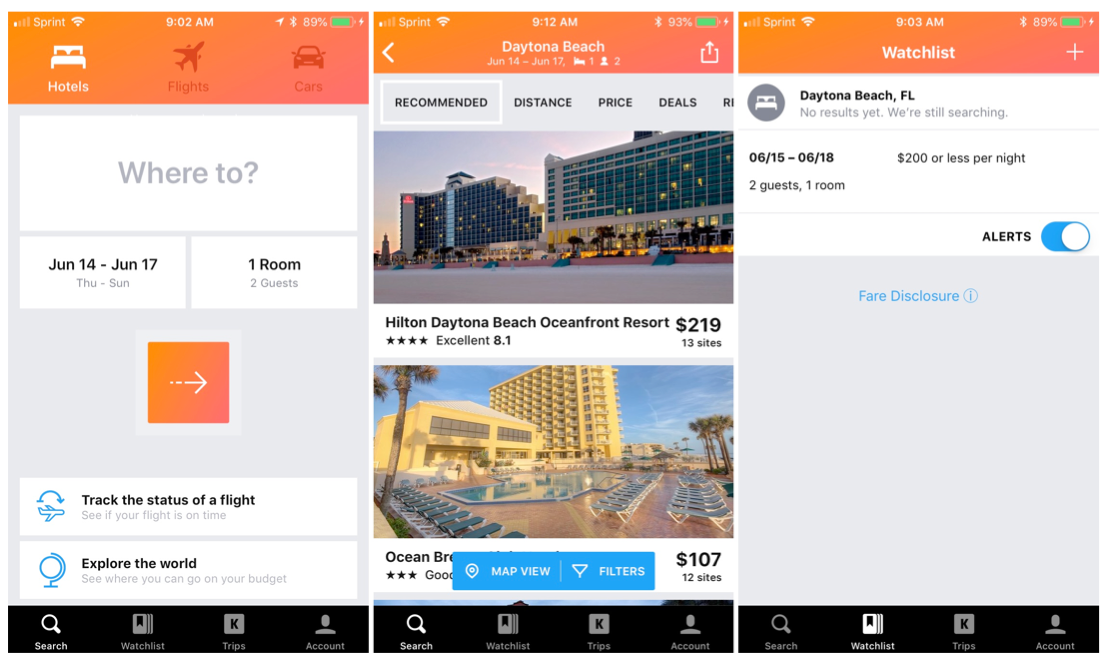
https://itunes.apple.com/za/app/kayak-flights-hotels-cars/id305204535?mt=8
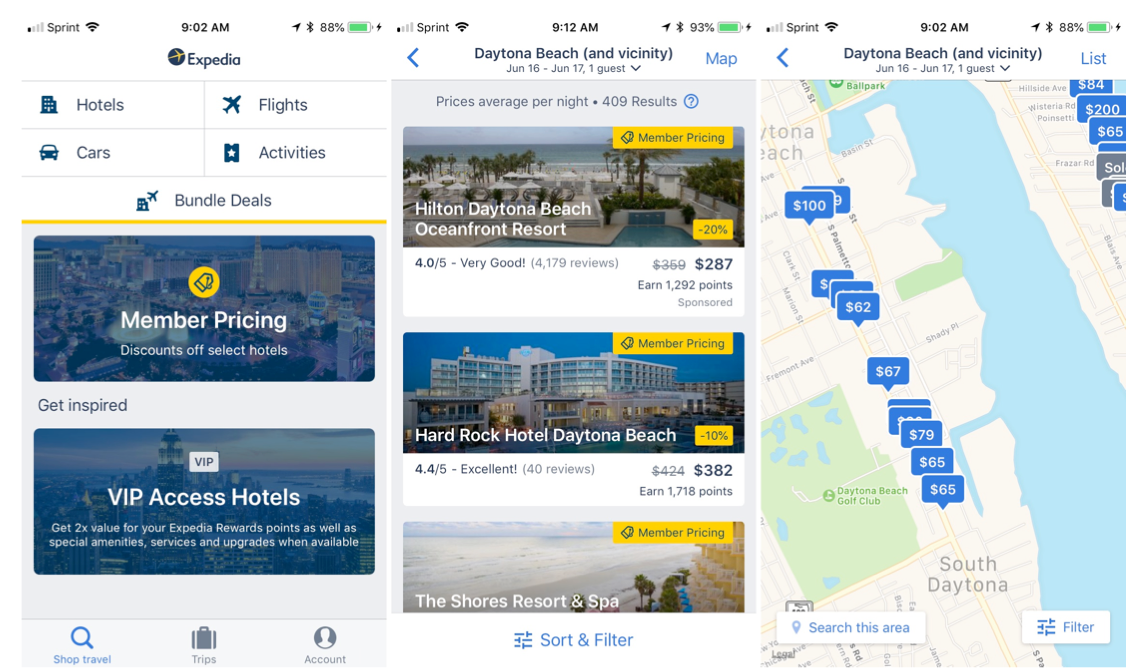
https://itunes.apple.com/us/app/expedia-hotels-flights-car/id427916203?mt=8
Deliverables
Research
Research at least two existing travel apps, including the provided examples such as KAYAK and Expedia.
Identify:
- What works well
- What could be improved
- Features you would like to incorporate into your app
Your research should influence your design decisions.
Target Audience
Define who your app is designed for.
Consider:
- Who are your users?
- What are their travel needs?
- What problems might they have when planning a trip?
Your Design Solution
Identify three unique features or improvements that will make your app different from existing travel apps.
For each feature, explain:
- What it does
- What user problem it solves
These features should be reflected in your final design.
Required Process
You must show the development of your idea through:
- Research
- Initial sketches
- User flow
- Low/High-fidelity wireframes
- High-fidelity UI designs/Clickable prototype
Required Screens
Your final design must include, at minimum:
- Home screen — access to flights, hotels, cars, and activities
- Hotel listing screen
- Hotel map view
- Itinerary screen
- Notification screen/experience
Your prototype should also demonstrate the flight, hotel, car, and activity booking experiences.
Successful Project
A successful project will demonstrate:
- Clear research and understanding of existing travel apps
- A clearly defined target user
- A clear problem being solved
- Three meaningful improvements or unique features
- A logical user flow
- Consistent and thoughtful UI design
- A functional clickable prototype
- A complete travel-planning experience
Most Important:
Don’t just design attractive screens. Design an experience that makes planning and managing a trip easier for your user.